Logitech MX Creative Console - Best for Editing and Desktop Productivity
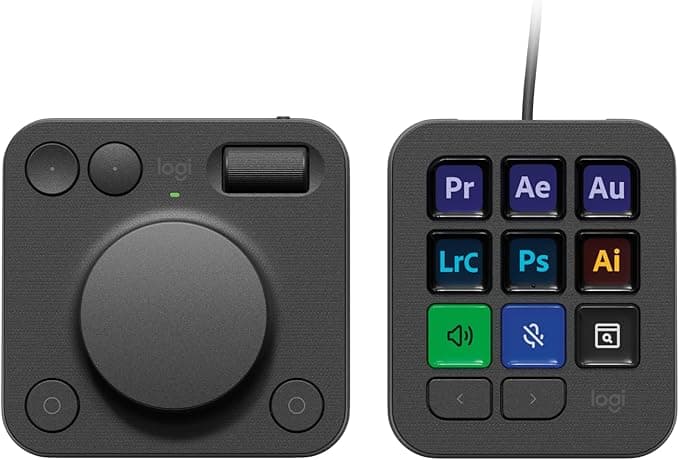
A productivity-focused control console optimized for editing, navigation, and creative desktop workflows.
- +Dual-dial system excels at timeline scrubbing and fine adjustments
- +Broad native app integrations reduce setup time
- +Wireless dial module enhances desk flexibility
- -Limited number of programmable buttons
- -Higher cost compared to button-only decks
- -Best experience requires Logitech ecosystem
The Logitech MX Creative Console targets creators who spend more time editing and navigating software than managing live streams. Its standout feature is the dual-dial system, which provides smooth, precise control over timelines, zoom levels, and parameter adjustments. This analog-centric approach makes it particularly effective for video editors, designers, and professionals working within Adobe and similar creative suites. The console is divided into a wired button pad with OLED keys and a wireless dial module, offering flexibility in desk layout. Logitech’s extensive partnerships with software developers result in strong native support, allowing many users to begin working immediately without deep customization.
This ease of onboarding sets it apart from more complex stream deck ecosystems. However, the limited number of programmable buttons restricts its usefulness for complex live streaming setups. The higher price point also positions it as a premium productivity tool rather than a general-purpose stream deck. For creators prioritizing editing efficiency and desktop control, the MX Creative Console is a highly refined solution.